

If your social media feed feels somewhat dry lately, you are not by yourself. There is so much competition for attention that even the best captions go ignored if the visuals aren’t “popping.” Today’s social media audience does not see content; they feel content. And every time your images are sharp, full of colour, and purposely optimised, they get scrolled past.
That is where Pippit enters the picture — an AI tool that’s meant to make your visuals appear effortlessly professional. Whether you are editing lifestyle photos, product photos, or short videos, Pippit’s video enhancer free feature assists you in creating viral-worthy content that appears to have been created by a creative agency and not your phone.
Let’s take a look at seven easy, innovative enhancement tips that social media marketers can implement today to revamp their feeds — and a brief guide on utilising Pippit to make videos and visuals pop like a pro.
Why visual quality is the new social currency?
In the age of fast scrolling and short attention spans, good imagery isn’t just about looks—it’s strategy. People make judgments of credibility and professionalism based on the way your images appear before even consuming your message. A professional-looking photo or video speaks volumes about trust, care, and intent.
If your brand needs to cut through the never-ending tide of information, you don’t require new concepts—you require crisper visuals. That’s where image enhancement is your not-so-hidden ace.
Hack one: Manipulate light and shadow like a pro
Natural lighting can make or destroy a post. But even if you didn’t get ideal light, you can create it. Toggling brightness and shadows gives your image instant depth and makes your visuals more engaging.
Experiment with contrast and highlights when editing to enhance textures and form. Small adjustments can add that editorial, high-shine look that seasoned photographers learn to master in years.
Hack two: Heighten colour to spark emotion
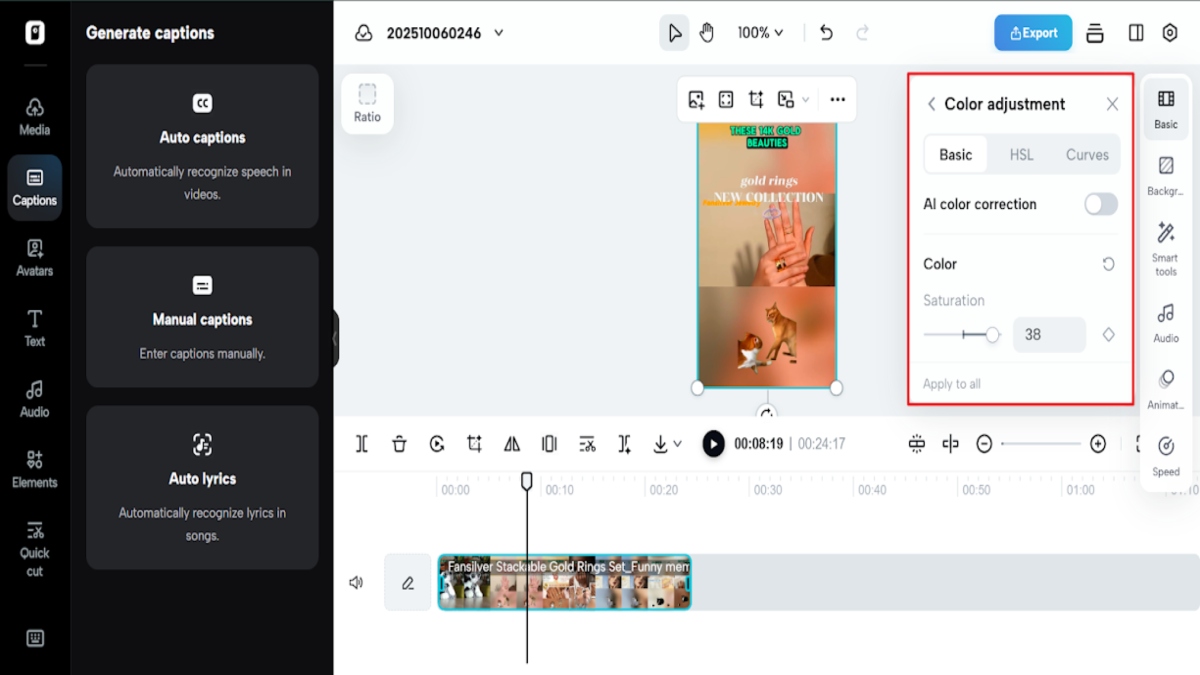
Colour psychology isn’t limited to branding—it applies to content design as well. Saturating and energising (without going overboard) makes your visuals more alive.
For example, warm colours such as orange and red create energy and excitement, whereas blue and green create trust and serenity. Colour adjustments can turn an ordinary photo into a mood-based narrative.
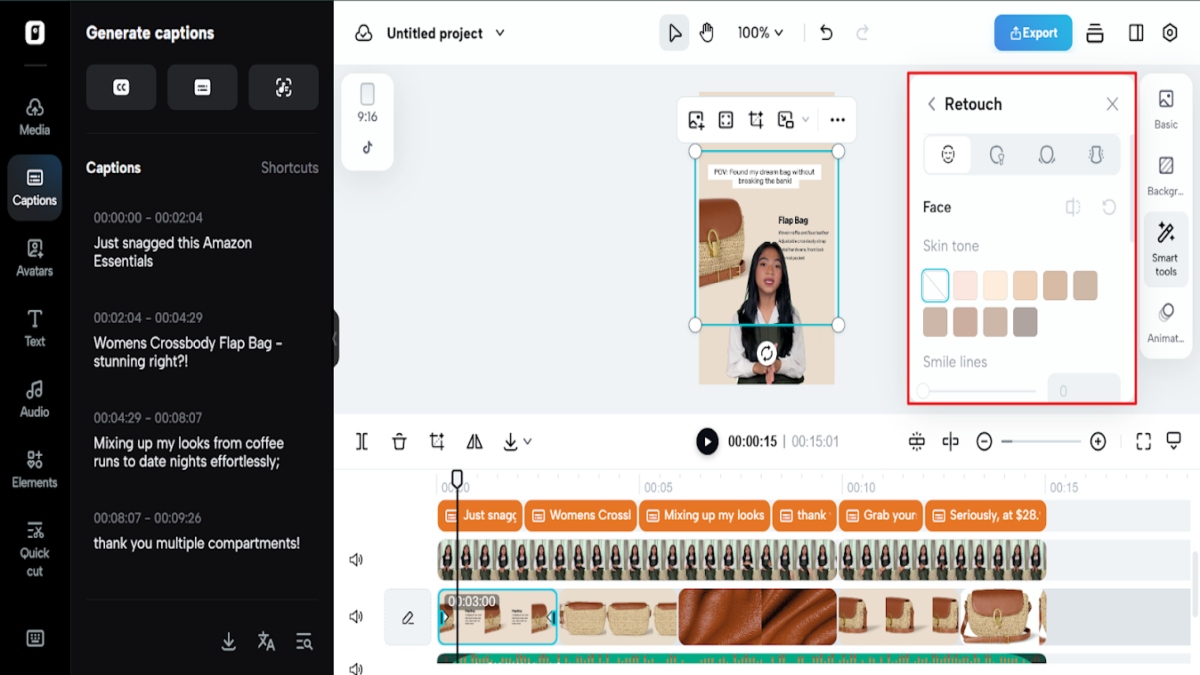
Hack three: Crop creatively to guide the eye
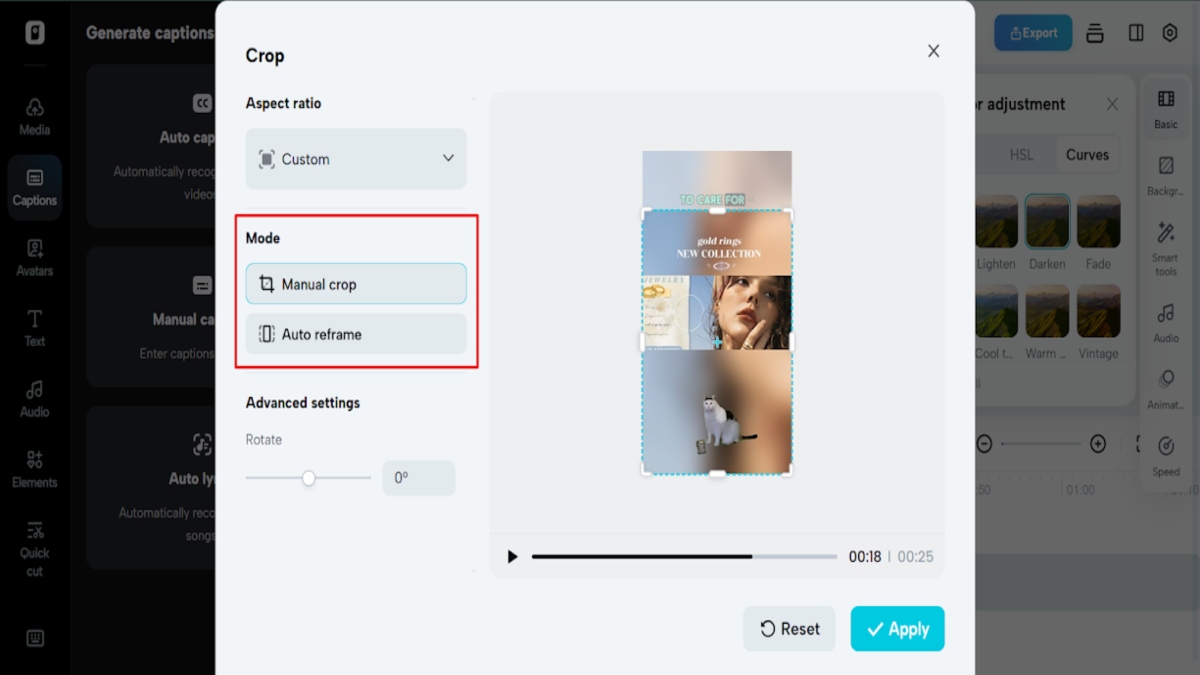
Don’t undervalue the power of composition. Cropping is not cutting out—it’s calling attention. Crop to draw your viewer’s eye directly to what is most important.
Use the rule of thirds: position your subject off-center a little for a natural, balanced feel. Strategic framing adds structure to your visuals and makes aesthetic appeal instantly better.
Hack four: Sharpen details for high-definition impact
Amidst a sea of mushy, squished visuals, crispness triumphs. Bestowing a definition separates your photos from others, particularly on high-resolution displays. Texture—the shine on metal, the strands in fabric, the lines in eyes—establishes a reality that involves viewers unconsciously.
This is where AI software excels. Pippit’s improvement technology can enhance the minute details you didn’t know your camera took. And if you are using rolling images, you can try a 4k video enhancer online free like Pippit, to make your videos have that same crystal-clear look.
Hack five: Balanced tones = natural perfection!
Very edited photos can present as if from the real world, and you can lose followership! The key is balancing your edited photos with reality.
Edit the highlights and shadows equally using the tone curves and brightness tools. Your goal is to make your visuals natural but still have impact. The conspiratorial tonal edits give your content a clean, modern, cinematic look – this comes together especially well when creating on multiple social media platforms.
Hack six: Apply background editing to take your brand visual to the next level
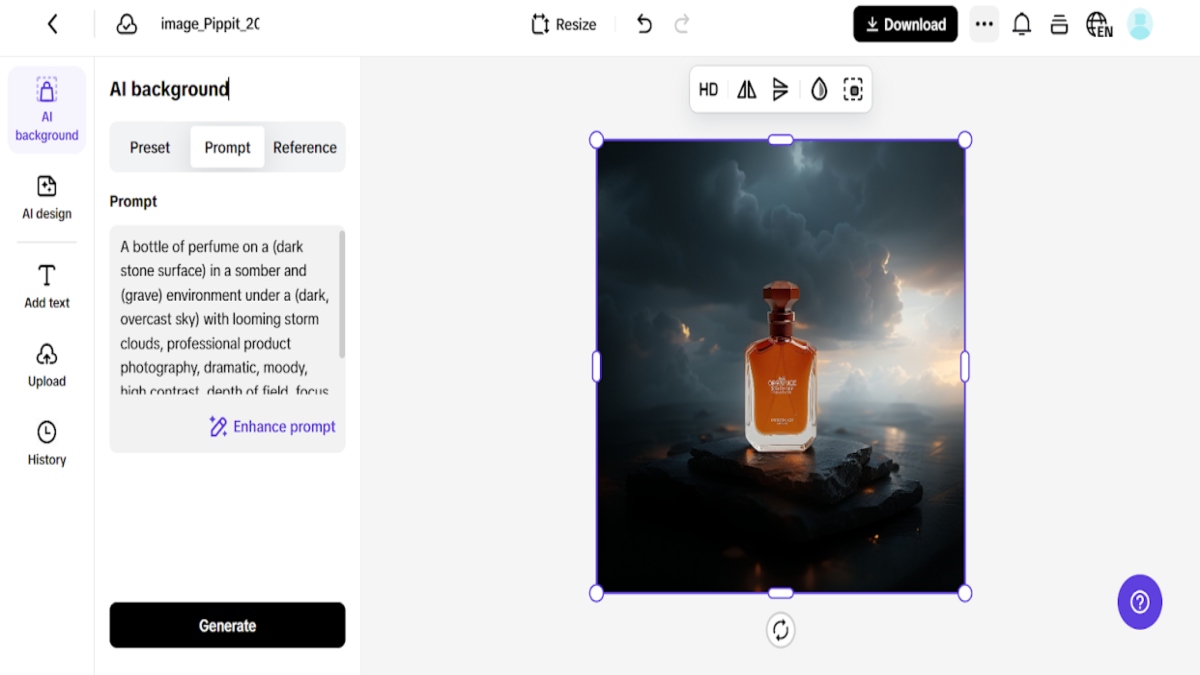
Every marketer’s secret — consistency is the ultimate goal. But a neat, branded look is easier said than done. That’s why Pippit’s background maker is a complete game-changer.
With the likes of Pippit, you can swap out distracting backdrops for clean, simple, or on-brand backgrounds. Whether it is a muted neutral colour for your lifestyle shots, or a bold gradient for your product shots, controlling your background keeps your feed visually similar.
This not only helps reinforce brand recognition, but it also provides each post with a curated look that aligns with your marketing strategy!
Hack seven: Keep it cohesive with colour themes
If your feed feels inconsistent, it’s probably because of colour. Having a colour story creates visual harmony and instantly strengthens your brand identity.
Choose a dominant colour palette—muted pastels, rich contrast, or minimalist neutrals—and stick with it. Apply the same enhancement settings to all your visuals so your content feels connected, no matter what you’re posting.
Bringing your upgraded visuals to life with AI-edited iteration
Even if your audience isn’t aware of it, they will perceive it, and over time, that subtle coherence builds trust and recognition. Using AI-edited iteration to make your improved graphics come to life It’s time to improve your video content as well when you’ve mastered image enhancement.
The future of marketing belongs to creators who master visuals
Social media is changing quickly — but one thing doesn’t change: awesome visuals get noticed. Small teams or even just one person can whip up some really strong visuals these days. They use AI tools and smart editing tips. These hold up pretty well against what big studios put out.
Things like Pippit are changing how we do our work. They mix in automation with a bit of creative spark. You do not need all those years of editing experience. A good platform just helps you turn your ideas into something you can see.
Ready to make your feed unforgettable?
What makes a social media feed work great is not piling on more stuff. It is about better content overall. That starts with visuals that grab eyes. They push people to act and keep attention.
Pippit lets you boost photos. You edit videos, too. Plus, you build a branded style that looks put together and smart. All that happens with just a few clicks.
Give Pippit a free try right now. See how easy it is to change a dull feed into something that pops. In the online space we have today, clear ideas and fresh creativity are not extras. They help you get noticed.

